n8n for small businesses: cloud costs, self-hosting and who should maintain it
What n8n costs a UK small business, what self-hosting involves, and who should look after your workflows once they are live.
Published · Updated · By Edgars Lapins
On this page

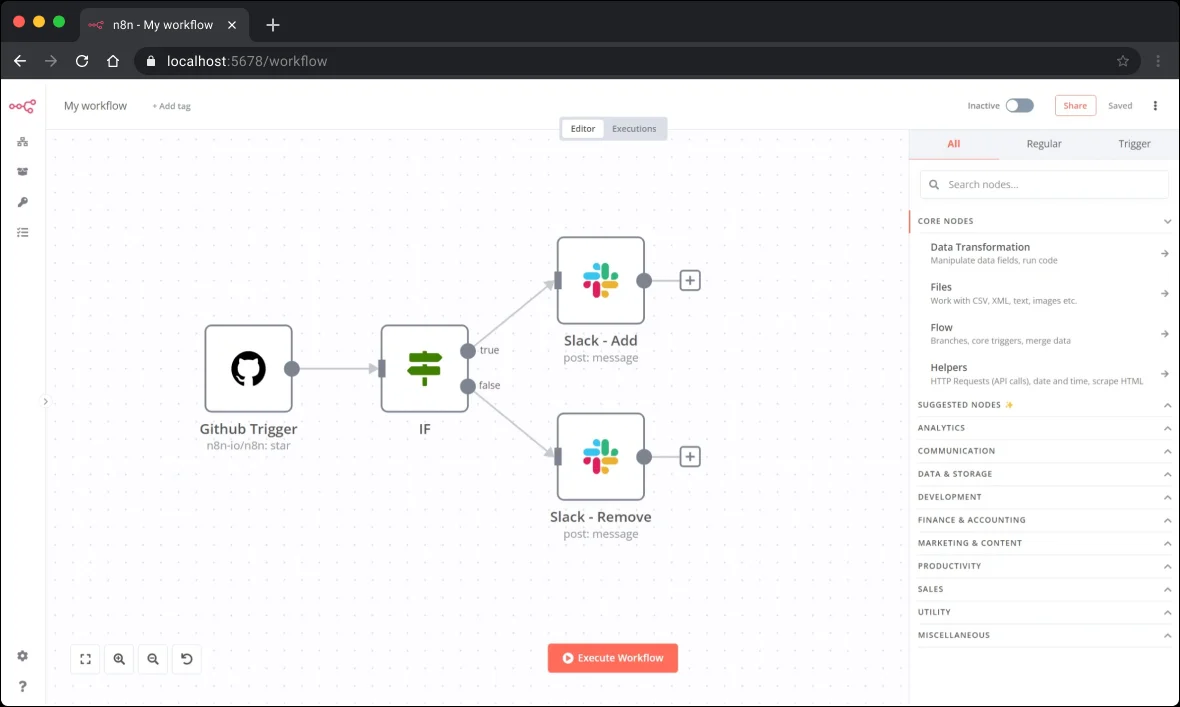
n8n is the automation platform developers tend to reach for first. It connects your apps, moves data between them and can drop AI steps in along the way. For a small business, two things make it stand out: you pay per whole workflow run rather than per step, and you can host it yourself if you want to. This review is based on n8n’s own documentation and pricing page. We have not run our own benchmarks.
Prices checked 13 October 2026 on n8n's pricing page. n8n quotes prices in euros.
Who n8n suits
According to n8n, its self-hosted Business plan is aimed at “companies with < 100 employees” and its whole product is pitched at technical teams. In practice, n8n tends to suit:
- businesses with someone technical in-house, or an agency on a support contract
- workflows with many steps, where per-step pricing elsewhere would add up
- businesses that want control over where data is processed
- teams that want AI steps and agents inside their automations
It is a weaker fit if nobody in the business wants to own the workflows after they are built. That is a maintenance question, not a pricing one, and we cover it below.
What n8n Cloud costs
n8n’s pricing page lists these plans:
| Plan | Price (billed annually) | Who n8n says it is for |
|---|---|---|
| Starter | €20/month | Building and running your first workflows and agents |
| Pro | €50/month | Solo builders and small teams running automations in production |
| Enterprise | Custom | Strict compliance and governance needs |
The page offers a monthly billing toggle and says annual billing saves 17%. All plans include unlimited users, unlimited workflows and every integration, according to n8n.
Starter includes 5 concurrent executions and forum support. Pro adds more shared projects, up to 50 concurrent executions, admin roles and workflow history.
Business plan (self-hosted only). n8n lists a Business plan at €667/month (billed annually) for companies with under 100 employees needing collaboration and scale. According to n8n’s pricing page, it is currently only available for self-hosted n8n, not on n8n Cloud. It adds SSO, multiple environments, Git-based version control and queue mode.
The free trial, according to n8n, includes 1,000 executions, needs no credit card, and has a 180-second execution timeout.
How executions work
n8n says an execution is “a single run of your entire workflow”, regardless of the number of steps or the amount of data. A ten-step workflow that runs once is one execution.

To estimate your needs, n8n suggests:
- Scheduled workflows: a daily schedule is about 30 executions a month. One that runs every 5 minutes is roughly 8,600 to 8,900.
- Webhook workflows (for example a website form): one execution per form submission.
- Chatbots: conversations per week multiplied by messages per conversation.
The schedule example matters. A workflow that checks something every five minutes can use far more executions than one that waits for events. Ask whoever builds your workflows to use triggers rather than frequent polling where possible.
Self-hosting: free licence, not free to run
The Community Edition is a self-hosted version of n8n available on GitHub. The licence costs nothing, but you still need:
- a server or cloud hosting account, paid monthly
- someone to install updates and security patches
- backups, monitoring and a plan for when the server goes down
- a person who knows what to do when a workflow fails at 2am
n8n also notes that Business or Enterprise features on a self-hosted instance need a licence key that pings n8n’s licence server daily, and that telemetry is collected by default, though you can turn it off.
For most small businesses without in-house technical staff, n8n Cloud is the simpler starting point. Self-hosting makes sense when you have a specific data residency requirement or a technical partner who will genuinely own it.
Where your data lives
According to n8n, hosted plans store data in the EU, on servers in Frankfurt. If you self-host, data sits wherever you put it. Either way, you are still responsible under UK GDPR for knowing what personal data passes through your workflows. Our AI and customer data checklist covers the questions to ask.
Who should maintain it?
This is the question most buyers skip. Automations break when an app changes its API, a password expires or a form field is renamed. Before anything goes live, agree:
- Who owns the account. The subscription and API keys should be in your business’s name.
- Who gets the error alerts. A named person, not a shared inbox nobody reads.
- What happens on failure. Retries, a fallback, or a manual process.
- Documentation. A short description of each workflow, what it touches and why.
- Support terms. If an agency built it, what does ongoing support cost and how fast do they respond?
How it compares
If you are also considering Make or Zapier, read n8n vs Make vs Zapier for UK small businesses, or our side-by-side on a single lead-handling workflow in Make vs n8n. You can find Make at make.com and Zapier at zapier.com.
Need help setting this up?
If you would rather have someone build and look after your n8n workflows, browse n8n agencies and experts in the UK. Ask each one who will own the account, how they handle errors and what ongoing support costs.
Good for
- Businesses with in-house technical help or an agency on a support contract
- Long, multi-step workflows where per-step pricing would add up
- Teams that want EU cloud hosting or to self-host
- Automations with AI steps or agents inside them
Not for
- Owners with nobody to look after workflows once they are live
- Anyone who wants the simplest possible builder
- Budgets that cannot absorb the jump from Pro (€50) to Business (€667, self-hosted only)
Pros
- Pricing per full execution, not per step
- Self-hosting option and EU cloud hosting (Frankfurt)
- Code steps (JavaScript and Python), custom API requests and webhooks on all plans, according to n8n's feature table
- AI agent nodes and MCP support built in
Cons
- Aimed at technical teams, so there is more to learn than with simpler tools
- Big price gap between Pro (€50) and Business (€667, self-hosted only)
- Starter has forum support only; dedicated support with an SLA is Enterprise only
- Self-hosting moves all maintenance onto you


