Make for small businesses: understanding credits and building reliable workflows
How Make's credit-based pricing works, what the plans cost, and how to build Make scenarios that keep running when something goes wrong.
Published · Updated · By Edgars Lapins
On this page

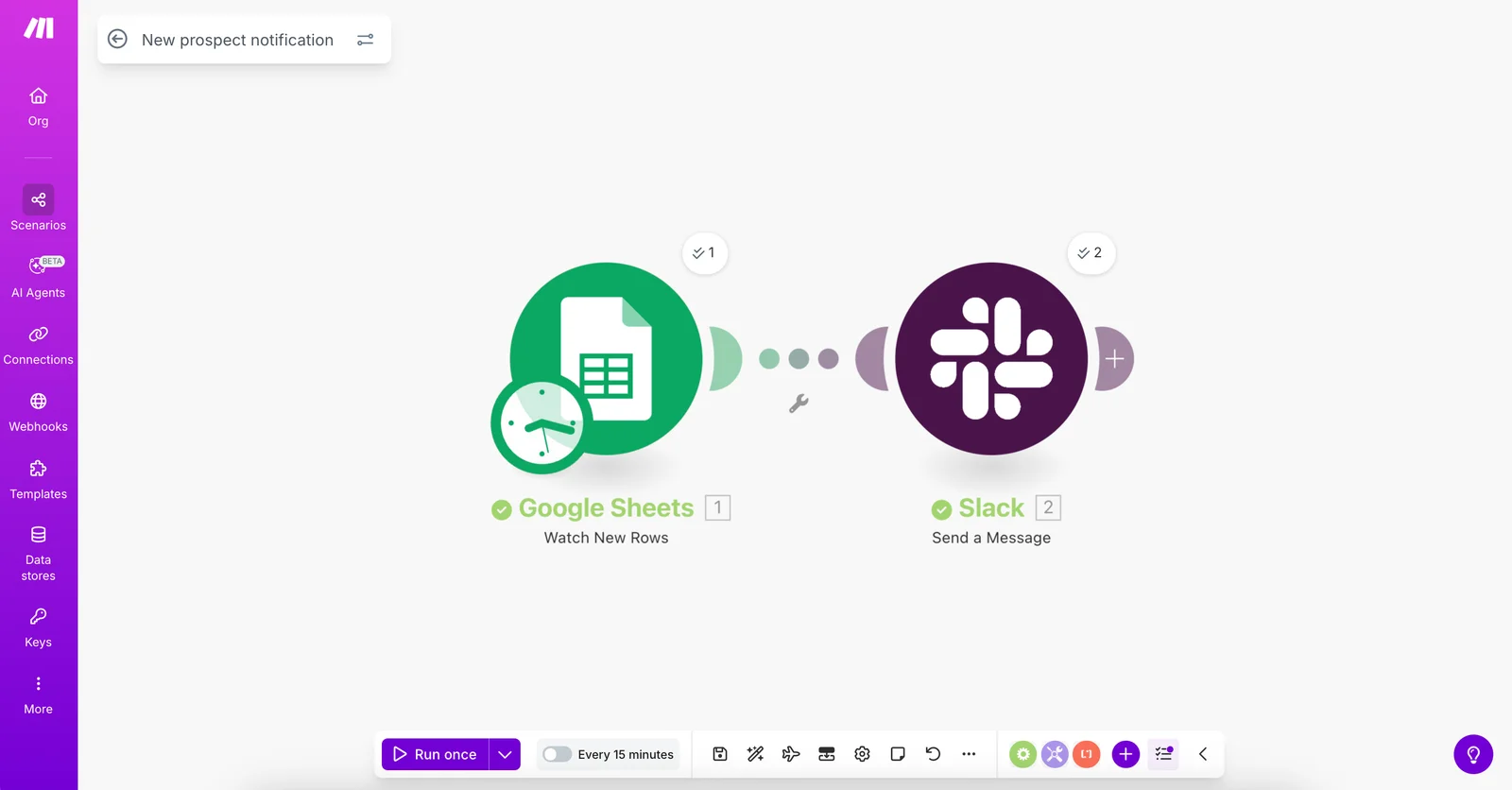
Make (formerly Integromat) is the automation tool you can actually see. You build “scenarios” by dragging modules onto a canvas and joining them up, so the whole journey of your data sits in front of you like a map. This review is based on Make’s own pricing page and help documentation. We have not run our own tests.
Prices checked 17 October 2026 on Make's pricing page. The page is interactive and prices change with the number of credits you choose, so confirm the current figure before you buy.
Who Make suits
Make tends to suit small businesses that:
- want a visual builder they can follow without reading code
- need branching logic, for example “if the enquiry is for a quote, do this; otherwise do that”
- are comfortable estimating usage in credits
- want a low-cost starting point
How credits work
Make says that since 27 August, credits are its billing unit. Every time a module performs an action, it uses credits. Make lists examples that each count: reading data from an app or webhook, searching, creating, updating or deleting a record, transforming data, and aggregating or iterating rows.
Most actions use 1 credit. Some AI features using Make’s AI provider use more. According to Make, Router modules and error handler modules (Rollback, Break, Resume, Commit, Ignore) do not use credits.
A worked example. A website enquiry scenario that receives the form (1), searches the CRM for the email address (1), creates or updates the contact (1) and sends a Slack alert (1) uses about 4 credits per enquiry. At 300 enquiries a month, that is around 1,200 credits, just above the Free plan allowance. This is an estimate from Make’s published rules, not a measured figure.

One thing to watch: a scenario that processes a list loops over each item, and each item can use credits. A scenario can use “anywhere from two credits to thousands of credits in a single run”, in Make’s words.
What Make costs
| Plan | Billed annually | Billed monthly | Credits |
|---|---|---|---|
| Free | $0 | $0 | 1,000 a month |
| Core | $12/month | $16/month | 10,000 a month |
| Pro | $21/month | $28/month | 10,000 a month |
| Teams | $38/month | $51/month | 10,000 a month |
| Enterprise | Custom | Custom | Custom |
Make prices in US dollars. The figures above are the prices Make’s own pricing page showed on 17 October 2026 for 10,000 credits a month, the setting the page opens on. The page shows annual billing as 25% cheaper than monthly, and you can choose larger credit tiers at higher prices. Check Make's pricing page for the current price before you buy. Make also runs a Startup Program for new customers with up to $5 million in funding. Its startup page, checked on 17 October 2026, offers free access to the Teams plan for up to six months, then 50% off any plan for the following three months. It is not open to businesses that provide automation as a service.
According to Make’s FAQ:
- Extra credits can be bought in bundles of 1,000 or 10,000, or bought automatically before you run out (Core, Pro and Teams).
- Credits expire at the end of the term. Extra credits expire after a month on monthly plans, or at the end of the year on annual Pro and Teams plans.
- Each 10,000 credits come with a usage allowance, including 5 GB of data transfer and a webhook queue of 667 items (up to 10,000).
Building reliable Make scenarios
Cheap automation is only cheap if it keeps working. When you or your agency build in Make, check for:
- Error handlers on important modules. Make’s error handlers do not use credits, so there is little reason to leave them out.
- Search before create. Look up a contact before creating one, so you do not fill your CRM with duplicates. Our guide to automating website enquiries without duplicate contacts explains how.
- Instant triggers where possible. Webhooks react to events. Polling on a short schedule uses credits even when nothing has changed.
- Credit alerts. Make says it notifies you at 75% and 90% of purchased credits. Make sure those notifications reach someone who will act.
- A named owner. The account should be in your business’s name, with a person responsible for errors.
For a worked example, our guide to creating Xero invoices from Make with the right UK VAT rate looks up VAT rates from your own Xero and creates drafts for a person to approve.
If credits run out, Make says scenarios stop, webhooks are queued up to your queue limit, and polling scenarios pick up from their last successful run. That softens the blow, but it is still worth avoiding.
How it compares
See Make vs n8n for a small business lead workflow, or n8n vs Make vs Zapier for UK small businesses for a broad comparison. Our n8n review covers n8n in more detail. n8n is at n8n.io and Zapier at zapier.com.
Need help setting this up?
Browse Make agencies and experts in the UK to find someone who can build and support your scenarios. Ask how they estimate credit usage and how they handle errors.
Good for
- Owners who want to see and follow the workflow without reading code
- Workflows with branches, such as quotes going one way and bookings another
- Low-volume businesses that can start on the Free plan
- Teams that want EU or North America hosting
Not for
- Long or looping scenarios on a tight budget, since each action uses credits
- Anyone who needs a fixed price in pounds (Make prices in US dollars)
- Teams that want to self-host the platform
Pros
- Visual builder that shows the whole flow
- Free plan with 1,000 credits a month
- Routers and error handlers do not use credits
- EU or North America hosting, according to Make
Cons
- Credits are counted per action, so long or looping scenarios cost more
- The pricing page is interactive and the exact figure depends on your credit tier
- Prices are in dollars, so sterling costs move with the exchange rate


