Make vs n8n: the same lead-handling workflow, compared
We map one lead-handling workflow onto Make and n8n using each provider's published pricing rules, so you can see how costs and effort compare.
Published · Updated · By Edgars Lapins
On this page

Make and n8n can both catch a website lead and get it to the right person in seconds. Where they really differ is how they charge, and who they expect to look after the workflow. So instead of comparing feature lists, we take one everyday lead-handling workflow and work out what it would use on each platform, using only each provider’s published rules. These are paper calculations, not measured results.
Prices checked on Make's pricing page on 17 October 2026 and on n8n's pricing page on 13 October 2026.
The workflow
A small business receives enquiries through a website form. For each enquiry the workflow:
- receives the form submission (webhook)
- searches the CRM for the email address
- creates a new contact, or updates the existing one
- creates a deal or task for follow-up
- posts an alert in Slack or Teams
- sends the enquirer a confirmation email
That is a trigger plus five actions, with one branch (create or update).
What it uses on each platform
On Make, credits are counted per module action. Make says most actions use 1 credit and routers do not use credits. Our workflow uses about 6 credits per enquiry (webhook, search, create or update, deal, alert, email).
On n8n Cloud, n8n charges per execution, and one execution is one full run of the workflow. Our workflow is 1 execution per enquiry, however many steps it has.
| Monthly enquiries | Make credits (approx.) | n8n executions |
|---|---|---|
| 100 | 600 | 100 |
| 500 | 3,000 | 500 |
| 2,000 | 12,000 | 2,000 |

What it costs
| Make | n8n Cloud | |
|---|---|---|
| Free option | Free plan, 1,000 credits a month | Free trial only on cloud; self-hosted Community Edition is free to license |
| Entry paid plan | Core $12/month billed annually for 10,000 credits ($16 billed monthly) | Starter €20/month billed annually |
| Next step up | Pro $21/month billed annually for 10,000 credits ($28 billed monthly) | Pro €50/month billed annually |
| Currency | US dollars | Euros |
Based on these rules:
- At 100 enquiries a month, the workflow fits Make’s Free plan. On n8n you would need a paid cloud plan or a self-hosted server.
- At 500 enquiries, Make Core at its entry tier covers it comfortably. n8n Starter is likely to as well, but check the execution allowance for Starter on n8n’s pricing page.
- At 2,000 enquiries, Make needs a larger credit tier. n8n’s cost stays the same per enquiry however many steps you add.
The more steps you add (enrichment, AI summaries, extra notifications), the more Make’s credit count rises, while n8n’s execution count does not.
What the builders look like
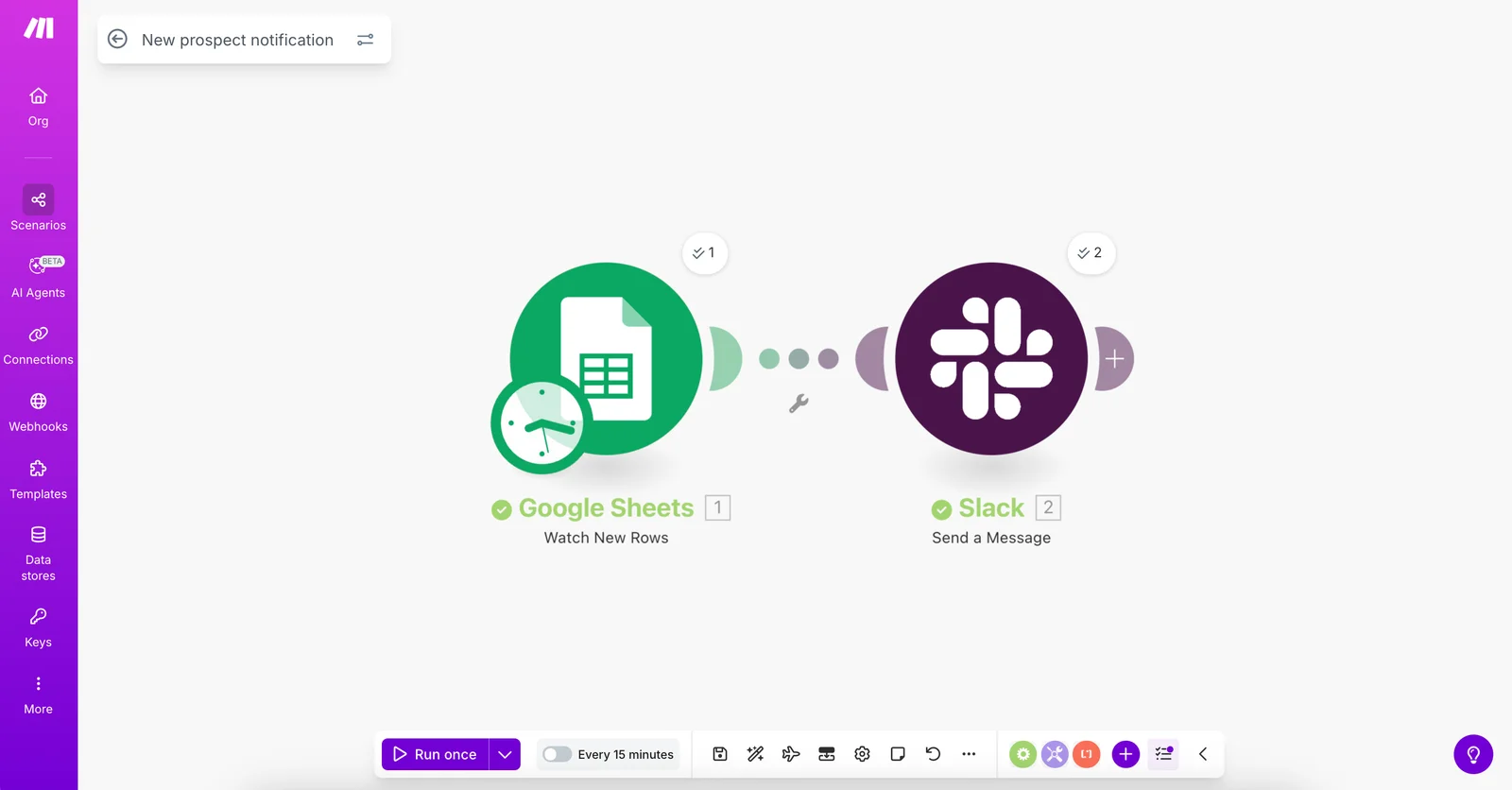
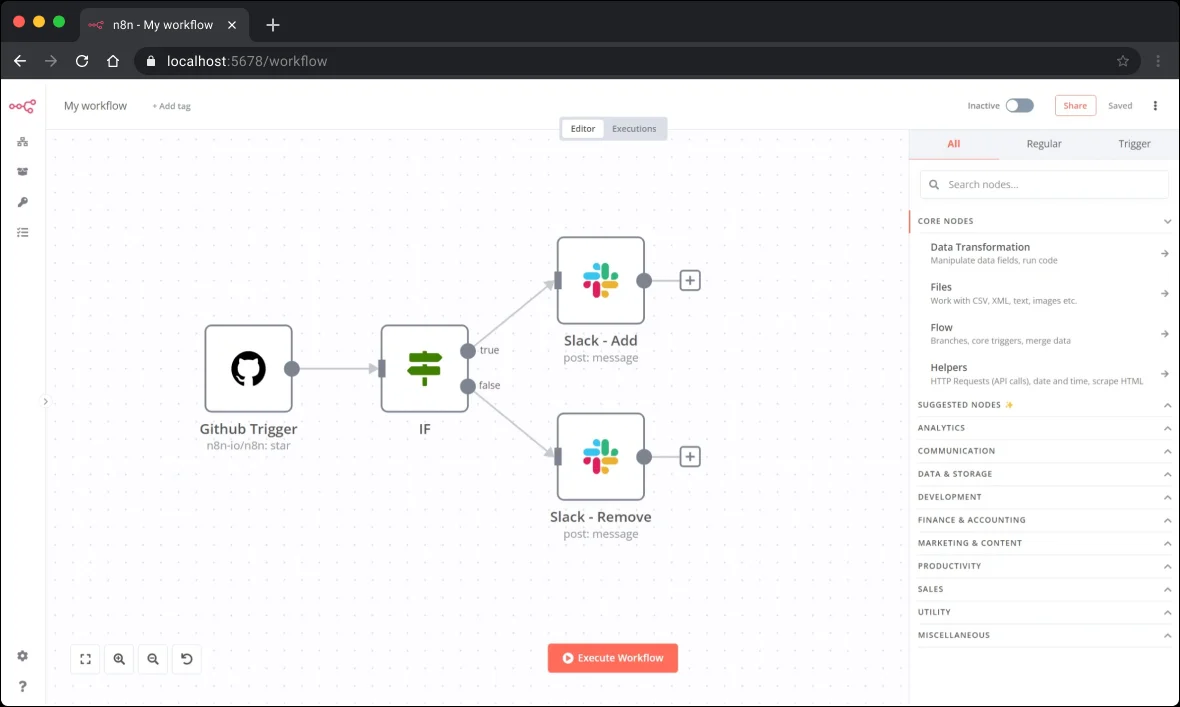
Both tools show a workflow as connected blocks on a canvas. Make uses round modules joined by dotted links; n8n uses square nodes, with a panel of node types at the side.
Effort and maintenance
Price is only part of it. Ask:
- Who will change the workflow later? Make’s visual builder is easier for a non-technical owner to follow. n8n is designed for technical teams.
- Do you need code steps? n8n includes JavaScript and Python code steps on all cloud plans, according to its feature table.
- How will errors be handled? Make’s error handler modules do not use credits. n8n lets you build error workflows. Either way, someone must receive and act on alerts.
- Where must data live? n8n Cloud is hosted in Frankfurt and can be self-hosted. Make offers EU or North America hosting.
Our view
For a small business with a simple lead flow and no technical staff, Make is usually the easier and cheaper place to start. For a business with longer workflows, higher volumes, data residency needs or a technical partner, n8n is often the better long-term fit. Read our full n8n review and Make review, or the wider n8n vs Make vs Zapier comparison, which also covers Zapier (zapier.com).
Whichever you choose, do not skip duplicate checks. See our guide to automating website enquiries without creating duplicate CRM contacts.
Need help setting this up?
Find a builder for your platform: Make agencies in the UK or n8n agencies in the UK. Many agencies work with both and can advise which suits your workflow.
Good for
- Make: non-technical owners, short workflows, low volumes
- n8n: technical teams, long workflows, data residency needs
Not for
- Make: long or looping workflows at high volume on a tight budget
- n8n: owners with nobody to maintain it


